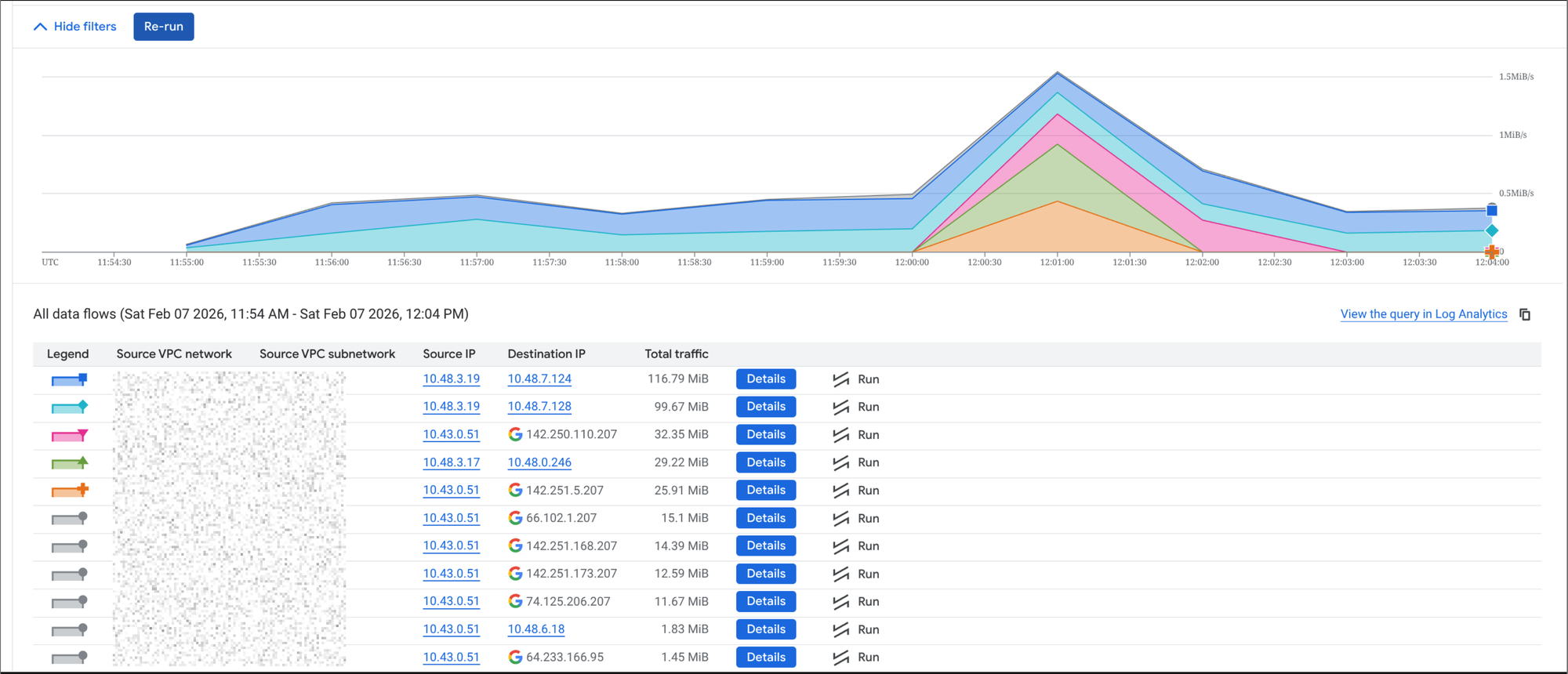
I enabled Private Google Access (PGA) so our private GKE workloads could reach Google APIs without public node IPs. Everything “worked,” but when I dug into billing and flow logs, I kept seeing Google API traffic (notably storage.googleapis.com) classified as PUBLIC_IP connectivity - and I were getting surprisingly high “carrier peering / egress” charges.
This was for my personal cluster which I pay for and experiment with so I want to cut down any excess charges. The increase in costs correlated with an increase of GCS uploads which did not make sense. I enabled flow logs for a VPC and started to take a look at traffic.
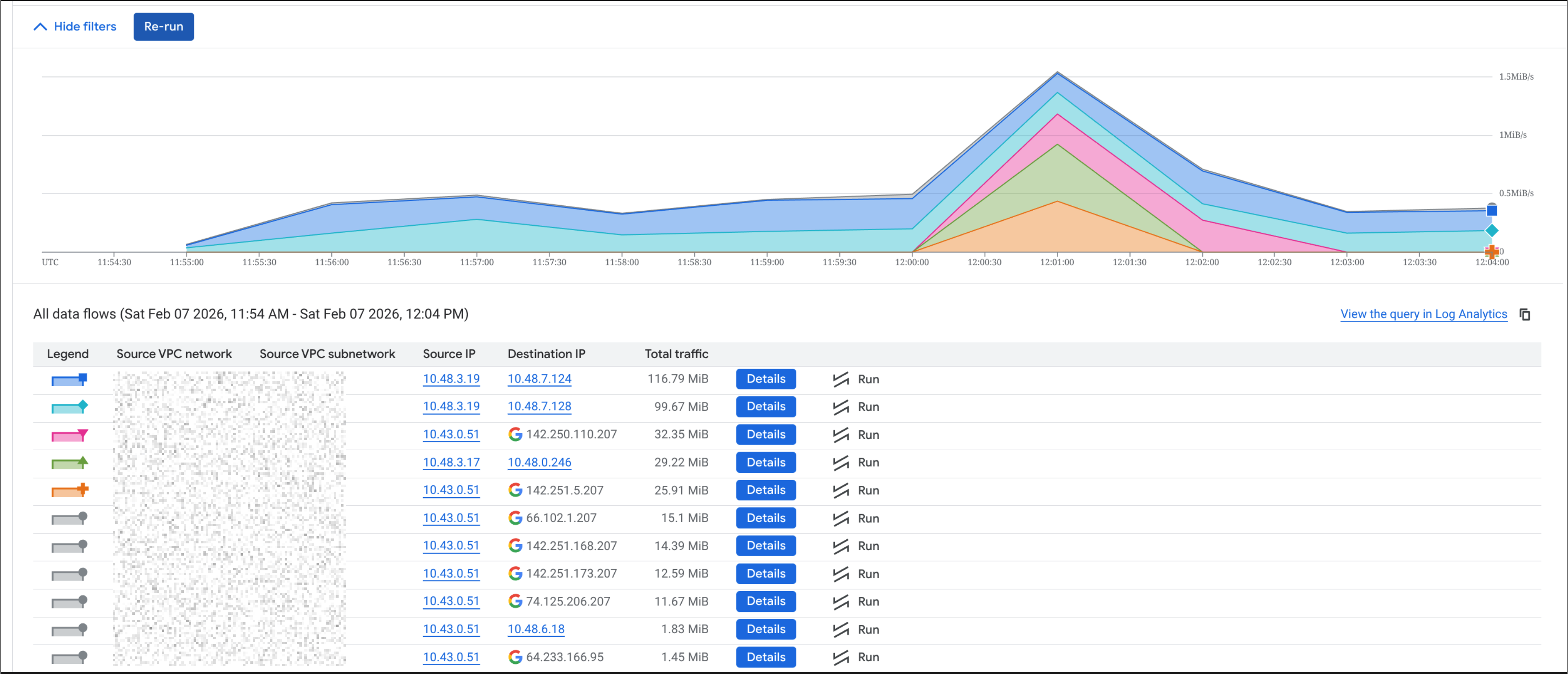
The above image showed that traffic from the cluster to storage.googleapis.com was going out to the public internet, which was not what I expected with PGA enabled. I expected it to route privately via Google's internal network.
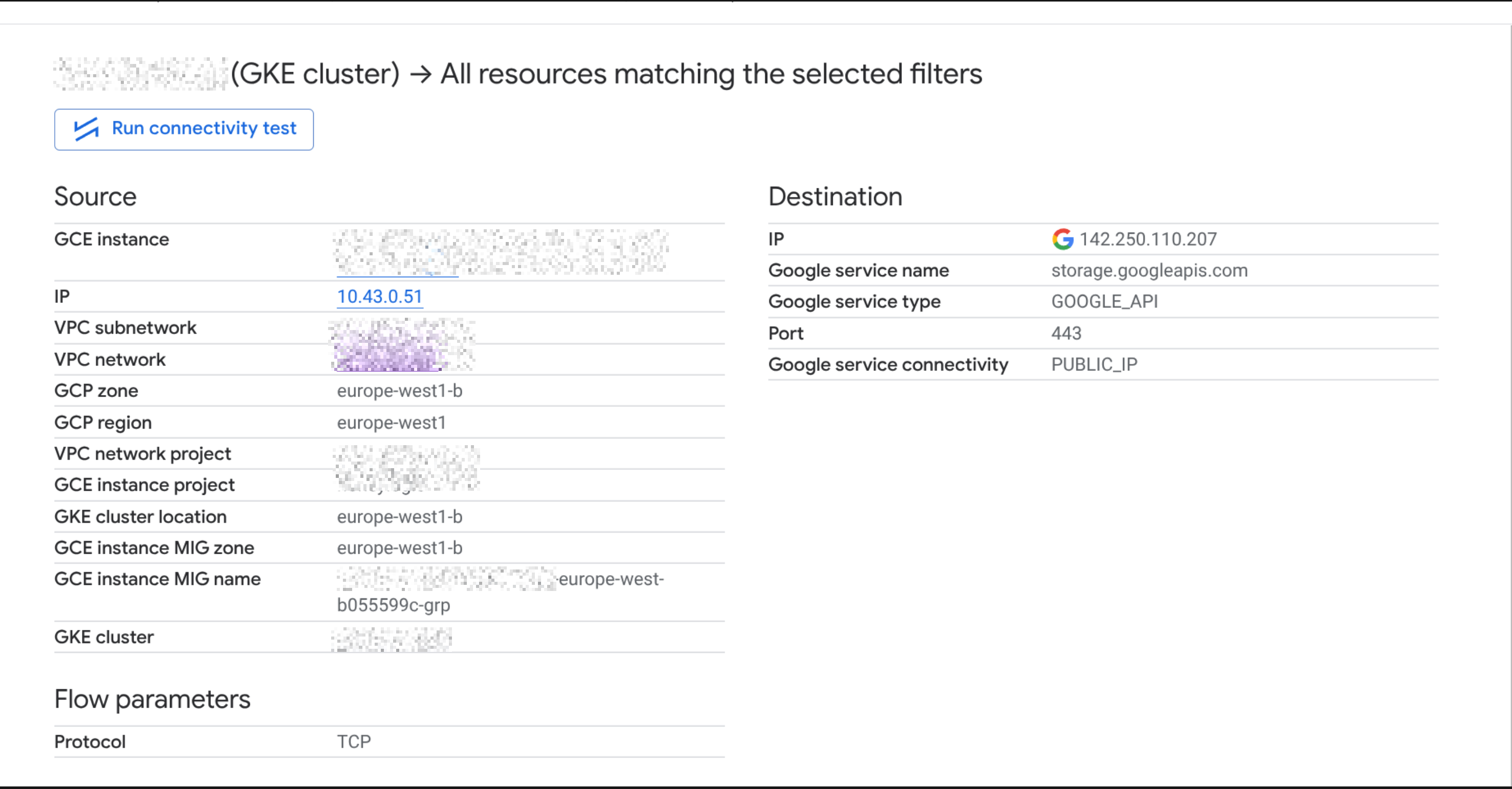
The detailed view of the flow logs confirmed that the traffic was indeed going to Google's public VIPs.
The key realization: PGA doesn’t change DNS. By default, *.googleapis.com resolves to Google’s public VIPs. PGA can still route that privately in many cases, but if you’re trying to reduce costs and make routing more predictable, it helps to use Google’s private API VIPs via private.googleapis.com and point DNS there.
The nice part: you don’t have to change every pod or app. You can do this once, at the VPC level, using Cloud DNS private zones. After applying the change, a quick in-cluster check showed:
storage.googleapis.comcanonical name →private.googleapis.com- IPs →
199.36.153.8–11 - API calls still worked as expected
Below is the minimal Terraform snippet I used.
Terraform: Private DNS override for *.googleapis.com to private.googleapis.com
This is VPC-wide: all workloads using the VPC resolver (including GKE pods) will pick it up automatically.
# Private zone for googleapis.com visible only inside your VPC
resource "google_dns_managed_zone" "googleapis_private" {
  name        = "googleapis-private"
  dns_name    = "googleapis.com."
  visibility  = "private"
  description = "Route *.googleapis.com to private.googleapis.com VIPs for Private Google Access"


  private_visibility_config {
    networks {
      # If you're using terraform-google-network module:
      # network_url = module.gcp_vpc.network_self_link
      network_url = google_compute_network.vpc.self_link
    }
  }
}


# private.googleapis.com -> Private Google Access VIPs (IPv4)
resource "google_dns_record_set" "private_googleapis_a" {
  managed_zone = google_dns_managed_zone.googleapis_private.name
  name         = "private.googleapis.com."
  type         = "A"
  ttl          = 300
  rrdatas      = ["199.36.153.8", "199.36.153.9", "199.36.153.10", "199.36.153.11"]
}


# Make *.googleapis.com resolve via private.googleapis.com
# This includes storage.googleapis.com, www.googleapis.com, etc.
resource "google_dns_record_set" "wildcard_googleapis_cname" {
  managed_zone = google_dns_managed_zone.googleapis_private.name
  name         = "*.googleapis.com."
  type         = "CNAME"
  ttl          = 300
  rrdatas      = ["private.googleapis.com."]
}
If you want a smaller blast radius
Instead of the wildcard, start with only what you care about:
resource "google_dns_record_set" "storage_googleapis_cname" {
  managed_zone = google_dns_managed_zone.googleapis_private.name
  name         = "storage.googleapis.com."
  type         = "CNAME"
  ttl          = 300
  rrdatas      = ["private.googleapis.com."]
}
Quick verification from GKE:
kubectl run gcs-check --rm -it --restart=Never --image=curlimages/curl --command -- \
  sh -c "nslookup storage.googleapis.com && curl -I https://storage.googleapis.com"
You should see storage.googleapis.com resolving as a CNAME to private.googleapis.com and returning 199.36.153.8–11.
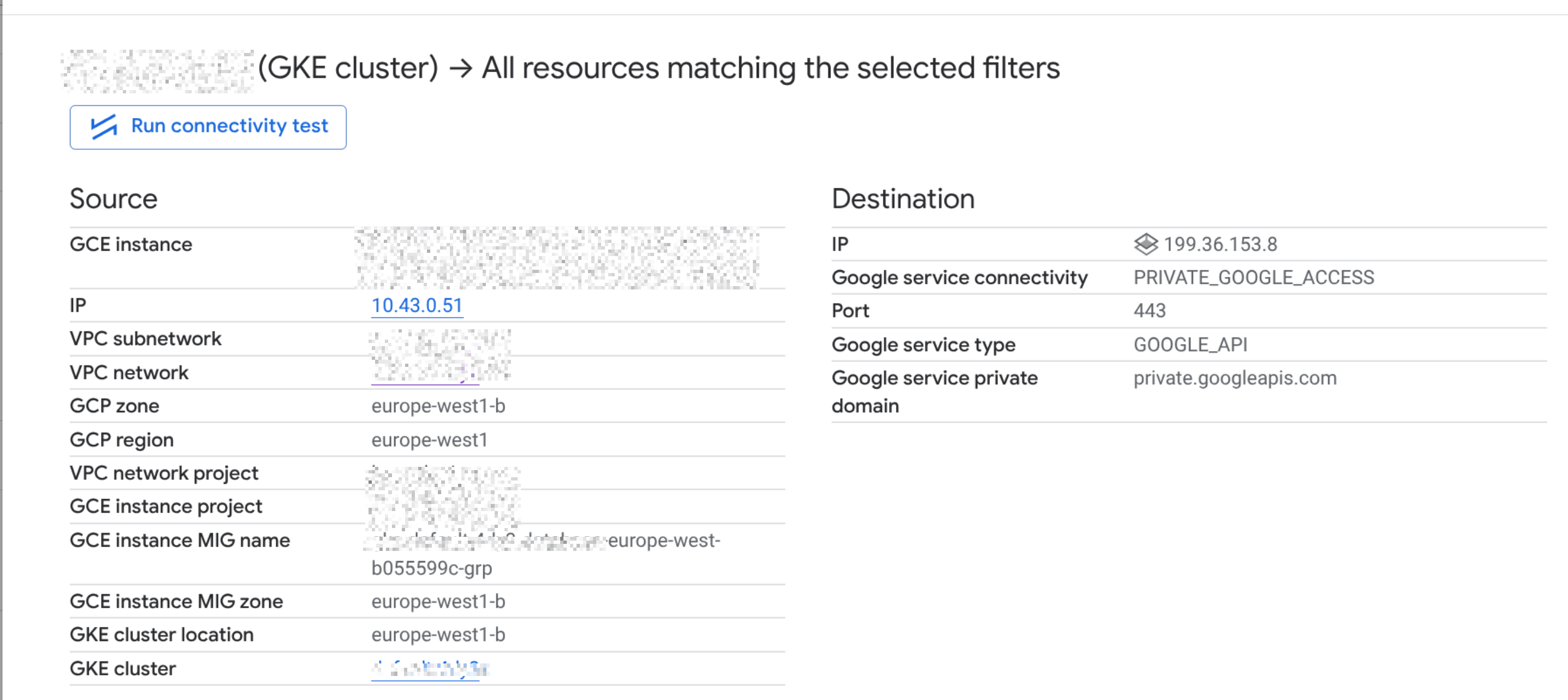
The below images show the DNS resolution after the change. Before, storage.googleapis.com resolved to Google's public VIPs. After, it resolves to private.googleapis.com and the private VIPs.
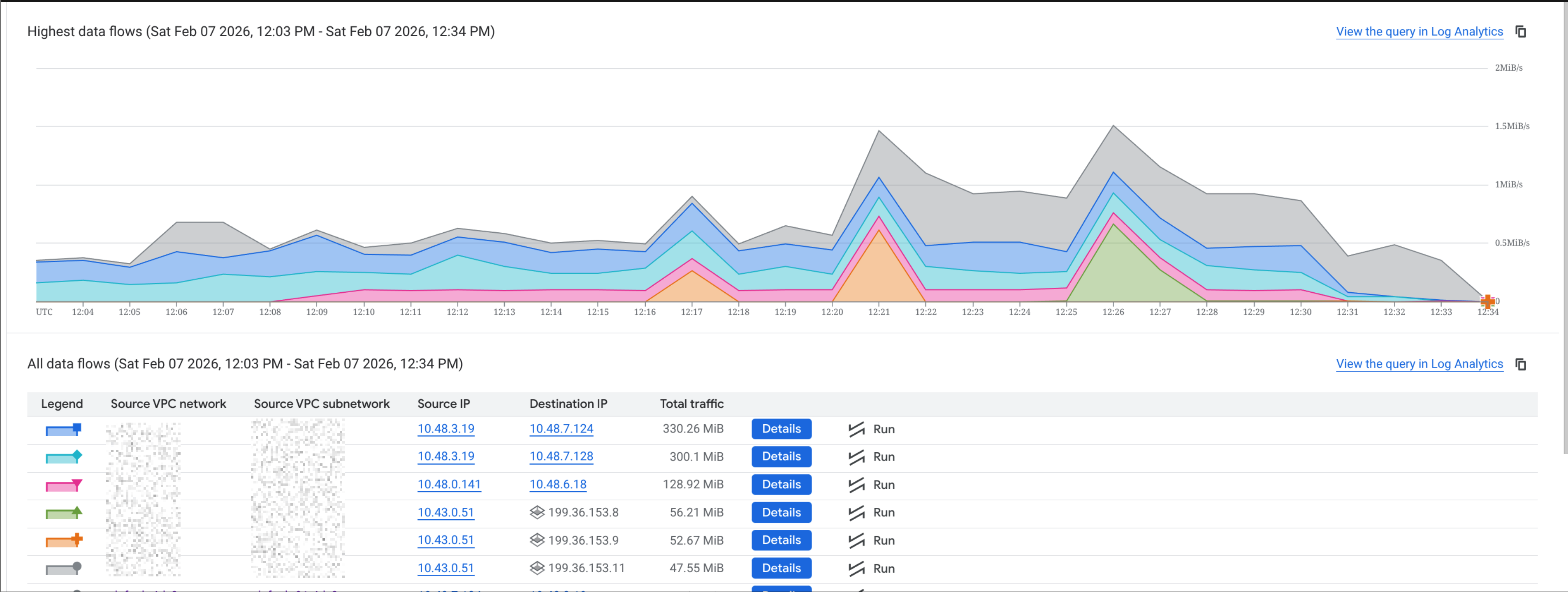
The detailed view of the flow logs after the change shows that traffic is now going to the private VIPs, which should reduce egress costs and make routing more predictable.
Notes
This doesn't replace PGA, you still need PGA enabled on the subnet (private_ip_google_access / subnet_private_access = true) and private nodes.
That’s it - a small DNS adjustment, but it made our Google API routing more predictable and helped reduce egress surprises.
